This is a review from someone that is not a videophile, nor intimately familiar with the ins and outs of emulation and hardware specs. I have a limited understanding of what goes into making a video signal look good on hardware it’s not meant for and how the emulation process works, whether it’s the FPGA hardware inside the Analogue 3D, or the program on your computer you plug a ROM file into. What I care about and why I bought the Analogue 3D is that I wanted something to give me the best possible experience playing the Nintendo 64 library in my living room, on my television, like I would my PS5 or my Switch. To bring the hardware into fuller compatibility with the entertainment setups we would have today and, to the best extent possible, make these games look and feel like we imagine them, and using improved tech to eliminate inconveniences we previously never concerned ourselves with as youngsters.

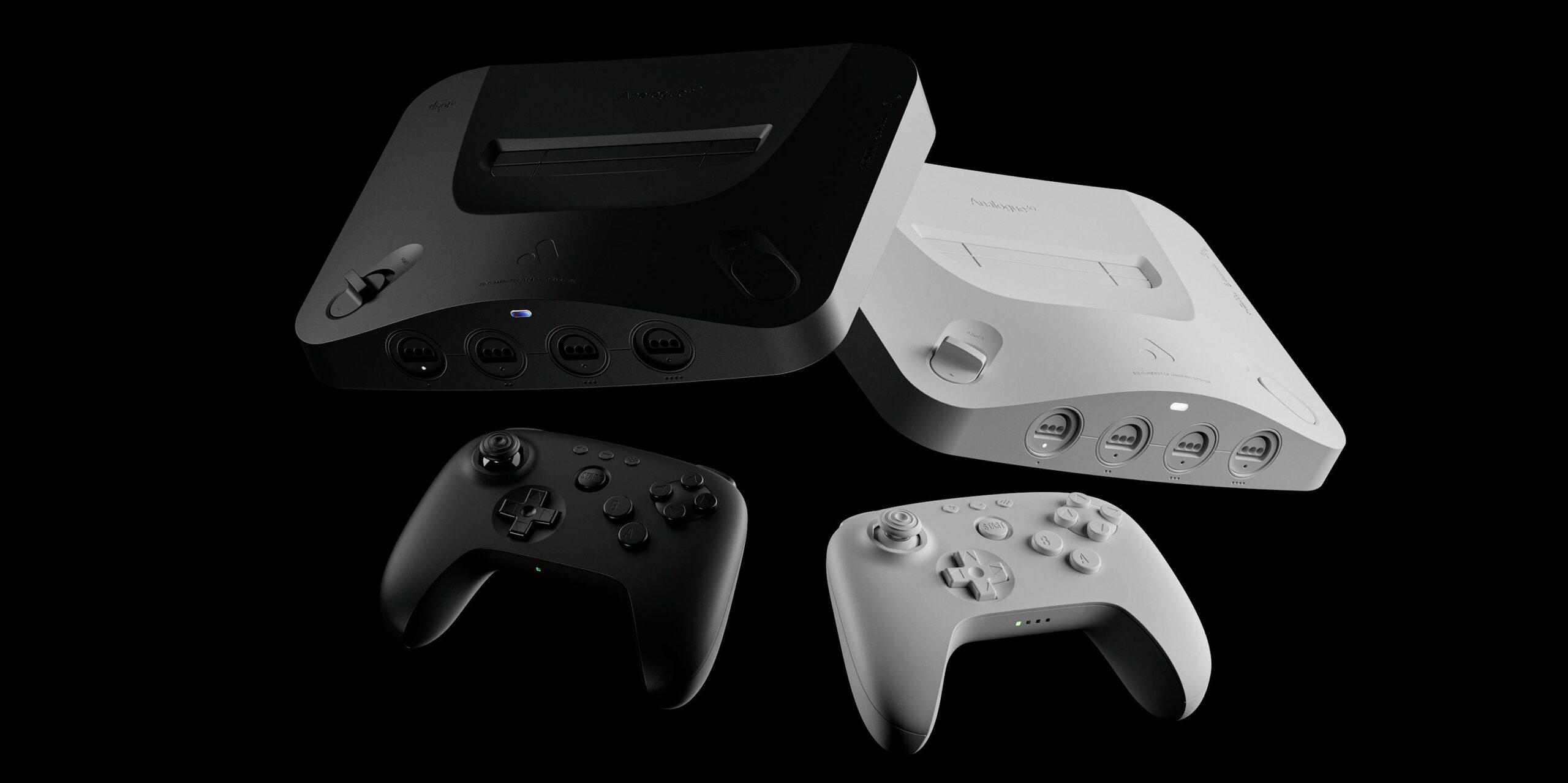
Out of the package, the Analogue 3D is sleek, weighty, and feels like a premium product. My model is the white finish, which may be further from the original color, but the textured finish and metal casing make up for the look with a definite implication that scratches and scuffs won’t be too much of an issue. The rubber footing that covers the entire bottom and the discreet vents for the implemented fan are discreet but telling design choices that make the overall system feel as high-end as it intends to be. As for discerning features, the front has four original controller ports and an LED indicator that also serves as the sync button for controllers, while the back has ports for USB-C power (it requires a 30W adapter, which is included, but important to remember if it’s not on hand), two USB-A ports for additional wired controllers to connect or charge with, HDMI out, and SD Card slot. The included Analogue brand SD Card is for firmware updates and the like — it is not for loading ROMs or cheats. And frankly, I have zero complaints about any aesthetic or compatibility choices. It’s a good looking system, like all Analogue products, that conveys the high-end intention of the product and looks good on your TV stand.

The OS upon firing up the system is, well, basic. Like, extremely basic. White text on black background basic. Which is surely what they intended with their minimalistic company branding, sure, but it’s noticeable all the same. Putting in a cartridge will register it to the system, but only for keeping data on your playtime and such, not to save the ROM or save states or anything like that. In fact, treat everything as far as gameplay as if it were an original console, as this is more the intention of the experience, not to manipulate the games themselves to our will like in an emulator with a debug menu. I was impressed that even the individual cartridge revisions were recognized by the system and saved to individual profiles. One major improvement, however, comes in the console’s ability to host an internal Controller Pak for each game. This is a huge feature not only for games that take up an entire pak with their saves, like sports game franchises or Mario Kart ghosts, but not having to remember which pak has which saves on it in a larger N64 collection. And with the 8BitDo controller (sold separately), you can do the same for a Rumble Pak, and even switch between the two with just one button.

Individual hardware settings for each game exist, with a simulated Expansion Pak option available to turn off and on with each game. Obviously, the Expansion Pak compatibility goes much deeper than just the games that don’t run without one, like Donkey Kong 64, but this is an option that is worth embracing now that it is far more convenient than having to manually change out what’s installed in the front of your N64 game by game. Titles that automatically run on different resolution settings when detecting the Expansion Pak, possibly at the cost of performance, can now run with the Jumper Pak settings with one click in the settings. This includes Space Station Silicon Valley, which the system won’t even allow to be run with the Expansion Pak, due to well-documented compatibility issues and glitches that arise because of it. Running the Expansion Pak will often be the best option, however, due to one of the Analogue’s best and most undersold features: overclock settings. The ability to push the hardware through previous issues or simply up to 60 FPS is often a sight to behold. The concept of Goldeneye not slowing to a crawl at the sight of multiple explosions, or of Gauntlet Legends or various racing games running at a smooth, buttery frame rate we haven’t even really thought to imagine is actually stunning.

The video settings — the many video settings — are a lot to take in, and, like I said, a lot more than I myself can sum up all that well. Whereas the performance settings were certainly not obvious as to what they meant, but still summed up mainly in a single option and not in need of fine tuning, video settings start at their premium option of the default BVM (Broadcast Video Monitor) simulation. 4K compatible displays (which I have, but not a compatible capture device at this time) can use this or the other retro filters including PVM and CRT displays, all of which look similar but less impressive than the BVM. As the best real way to view retro games and the most intricate simulation, the BVM option is the go-to, but while it will display with regular 1080p monitors, you’ll want to avoid it as the filters lead to tons of weird artifacting within the filter when moving around and are pretty much unplayable on a lesser monitor. They do look really solid, though, delivering a well-balanced brightness and curtailing the sharp edges and pixels that even the most high quality adapters and mods often do themselves a disservice by highlighting with their undeteriorated output.
That same jagged look that Analogue’s work has mainly been focused on to tailor the video signal with is your primary option on non-4K monitors. Sliding all the way over to the “clean” display setting can feel like such a stark contrast, but Analogue has done a good job considering that the same modification that costs hundreds on original hardware is the basis for everything else it does. The clean signal isn’t perfect, but it is what it says it is: clean. The ability of the system to deliver a high quality signal that still suits streaming and large screen play well is a strong floor if nothing else, and it’s up to the player on each game to decide if the still-compatible CRT and basic Scanline filters are worth running. I personally assumed that neither would cut it when comparing them heading into most games, but having just played Beetle Adventure Racing for a bit with the CRT options in place, even only with consumer-level settings, has still been a pretty strong option, even if the system isn’t doing active work to fix the imperfections underneath the basic filter it’s laying over it. It’s for this reason that I also think not having global settings outside of the default hasn’t been an issue. Being encouraged to see what each game benefits from the most both in performance and visuals often ends up doing the software a favor, so I don’t mind doing any amount of fiddling with the settings that I’d likely be doing myself anyway.

As the owner of an older EverDrive flash cartridge, I actually had no issues loading mine, personally, and I haven’t run into any other compatibility issues personally, though I have heard plenty from what I assume are the loudest voices on the matter. Not being able to use my EverDrive would certainly have been a letdown, but it would also have been expected, given the track record of various flash carts with aftermarket hardware. Even as common as they are, it’s certainly another beast entirely to code and work out compatibility for every possible cartridge, and on that same track record, an update has seemingly always arrived in due time to address compatibility issues. On original cartridges, of course, it’s been easy going and any cart I’ve popped in has been recognized on either the first or second try, for which I also appreciate the little cart cleaners included in the box.
Taking away all the waiting, lack of transparency, and minor compatibility issues that I haven’t even experienced myself at this point, I can say pretty easily that the Analogue 3D was more or less what I expected it to be. It does some pretty amazing things for some very old, beloved games. It doesn’t do anything that shouldn’t be expected of it, including copyright or patent-breaking things, and it works hard to perform impressive feats, just not miracles. There is an onus on the consumer to be prepared and knowledgeable about what it can achieve, and I think that with that in mind, it’s done extremely well in just about every area. At the price point and in a perfect world where items like this were actually available and not ruined by scalper-friendly market conditions, I would say you should pick one up if you’re a big enough fan of the console and/or want to pay for the best experience you can. But in a world where all this review can do is tell you if I’m happy with what I received, the answer is yes. 9/10